Coworking that runs itself.
The app your coworkers use to sort out everything themselves – while you keep the overview.
45 days freeCancel any timeCard or bank account required
No email addressno card
What Selfdesk takes over
From contract to billing.
Your coworkers handle their part themselves. Selfdesk connects the steps – and you only step in when it's needed.
Contract
Become a member
Pick a plan, sign the contract and manage their own details.
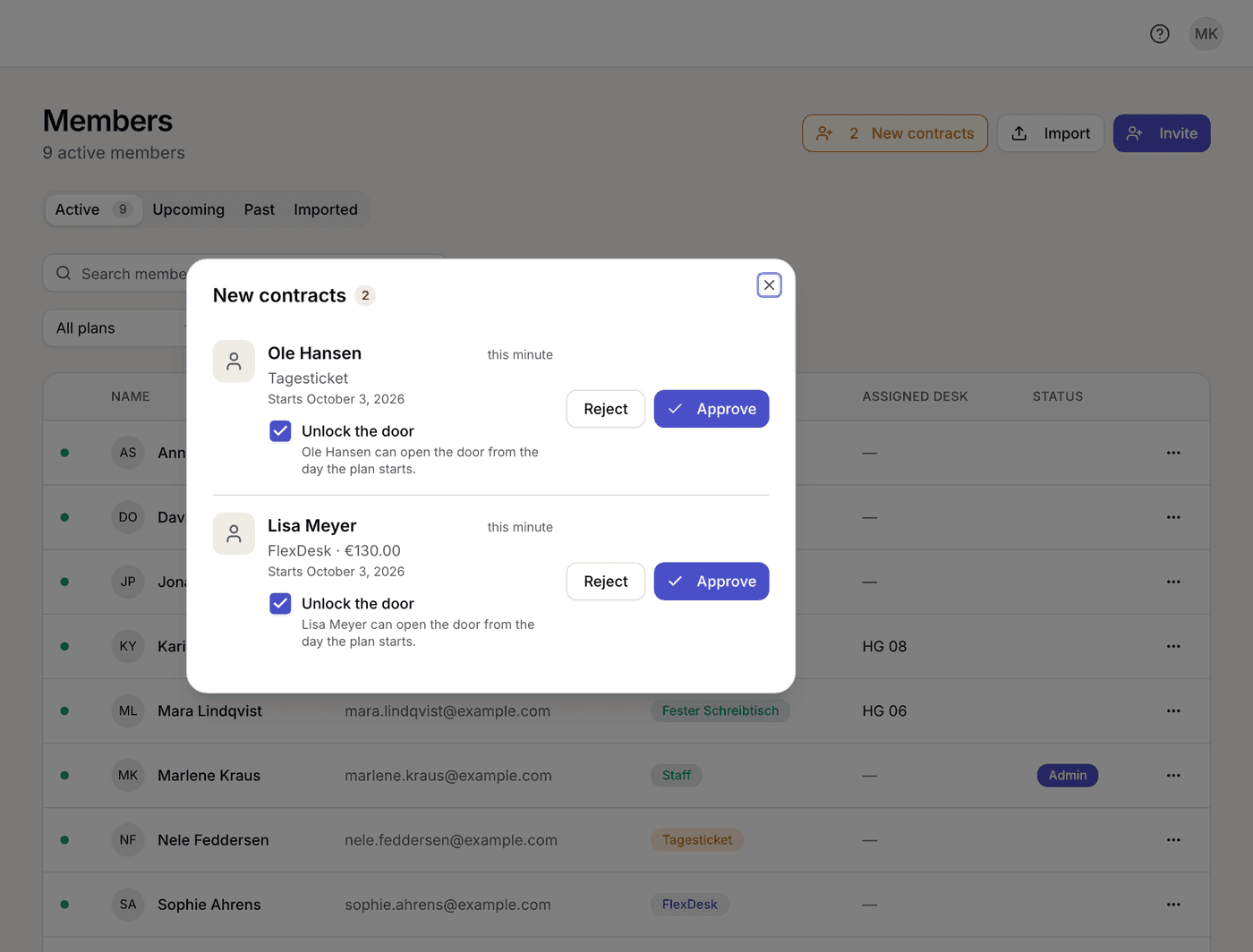
You confirm the contract with one click.
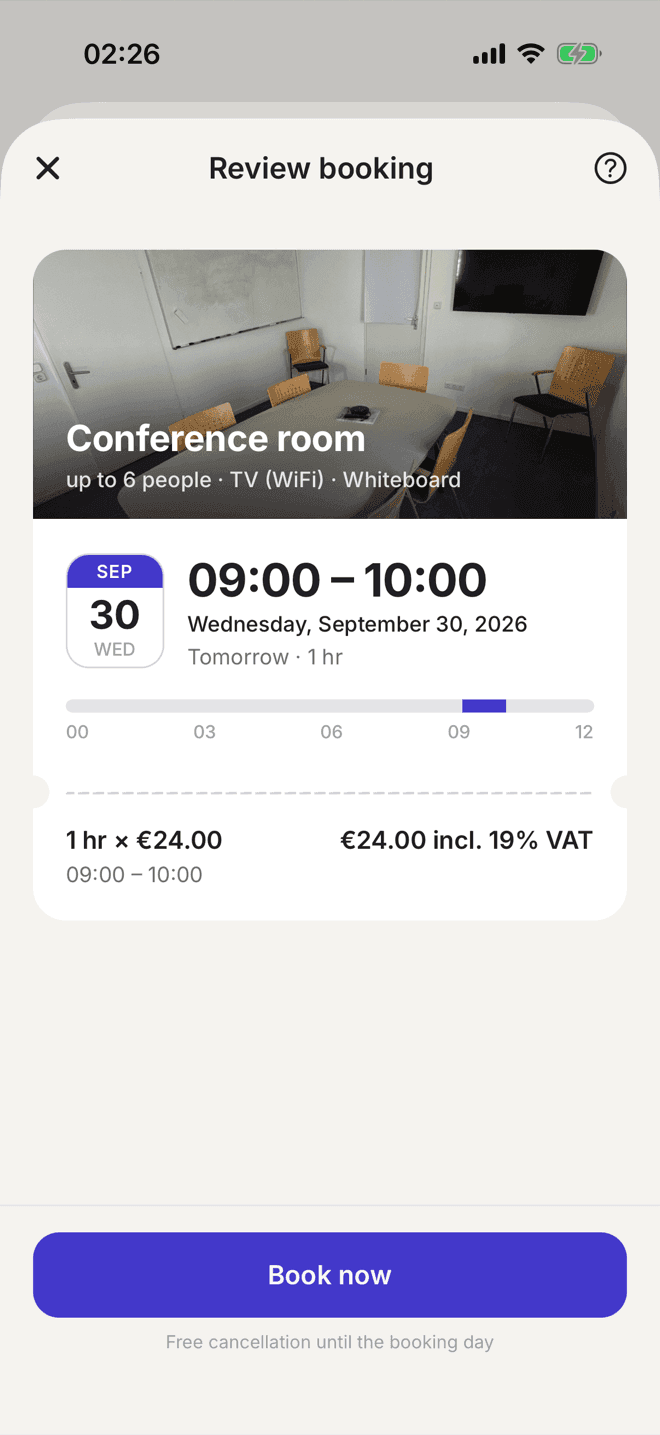
Booking
Find a spot
See free desks and rooms and book them right away.
Guests book without an account, too.Access
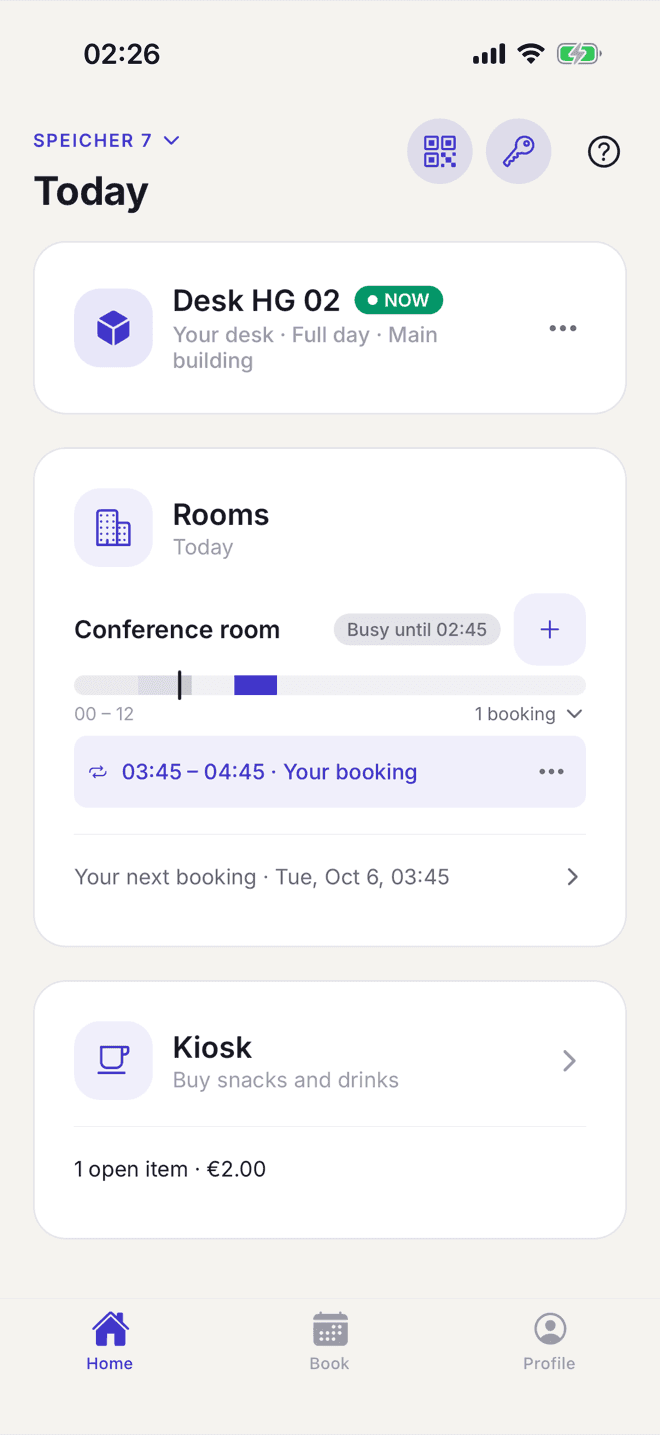
Just walk in
Open the door straight from the app – matched to booking and permission.
With a Nuki smart lock.
Billing
Close the month
Bookings and purchases land in billing automatically.
At month-end, one click is enough.
Your day today
Your coworking space shouldn't hang on your phone.
Room free? Send that invoice again? Let someone in? Lots of small questions keep interrupting your day.
Is the meeting room still free tomorrow?
Visible in the app · BookingCould you send me the invoice again?
Waiting in the app · BillingHow do I get in tonight?
Opens from the app · Access
With Selfdesk, many of these questions never reach you.
In three steps
How your space runs with Selfdesk.
- 1
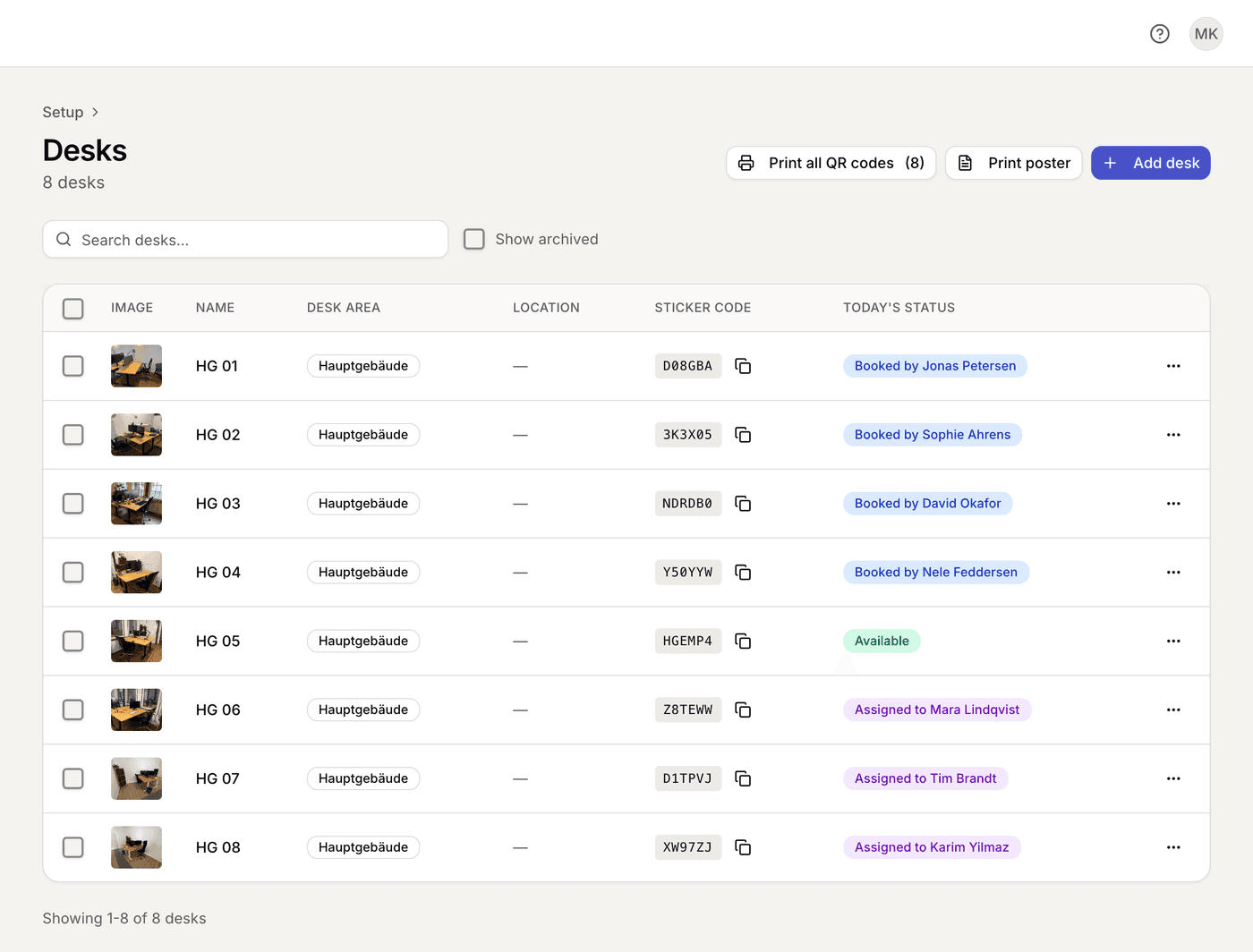
Set up your space
You create areas, desks, rooms and plans once, in the browser.
- 2
Coworkers handle their day themselves
Coworkers sign their contract themselves and book in the app. You confirm with one click.
- 3
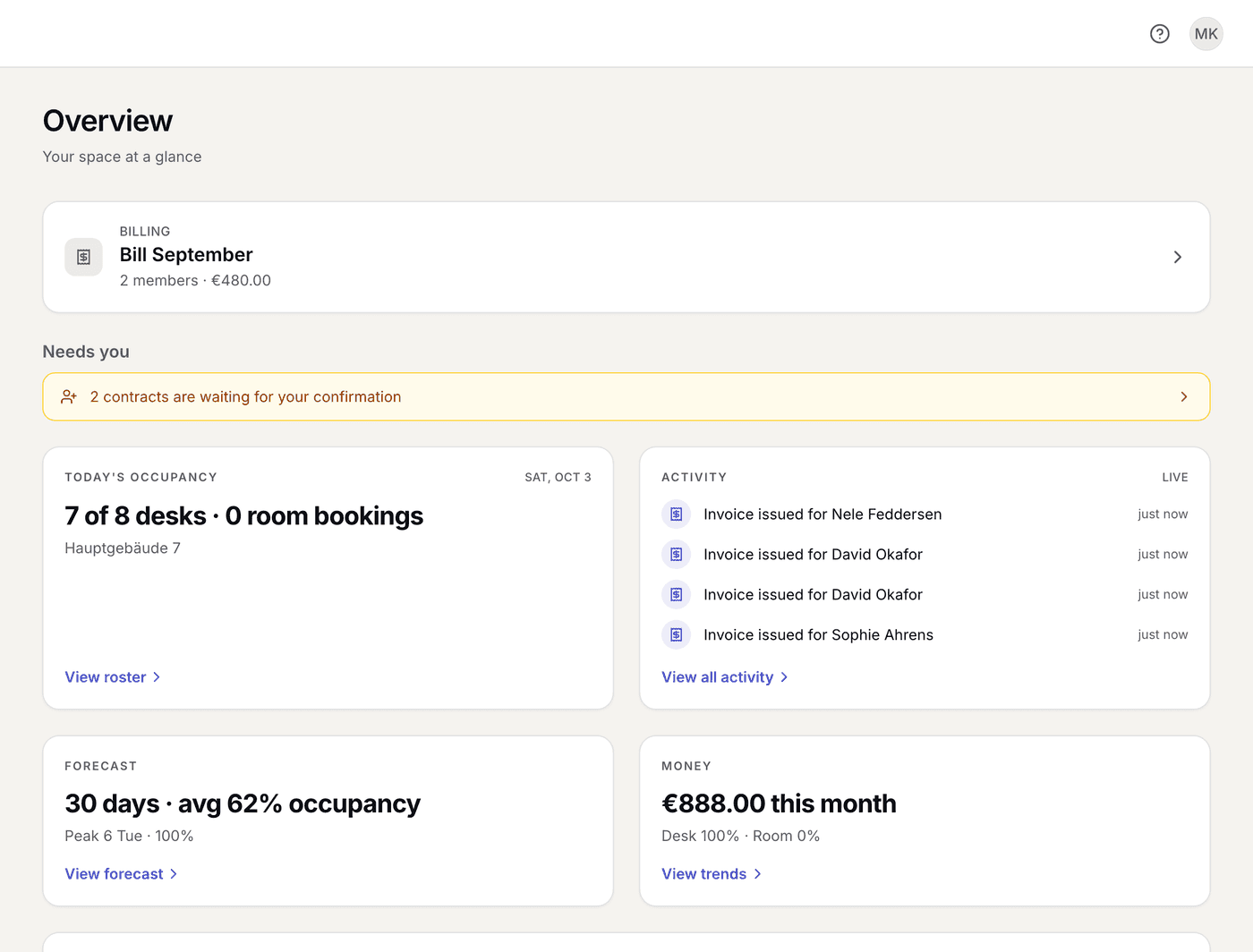
You steer from the dashboard
Who is in today, what is open and what the month brought in.
Managing in the app
You run your space from your phone.
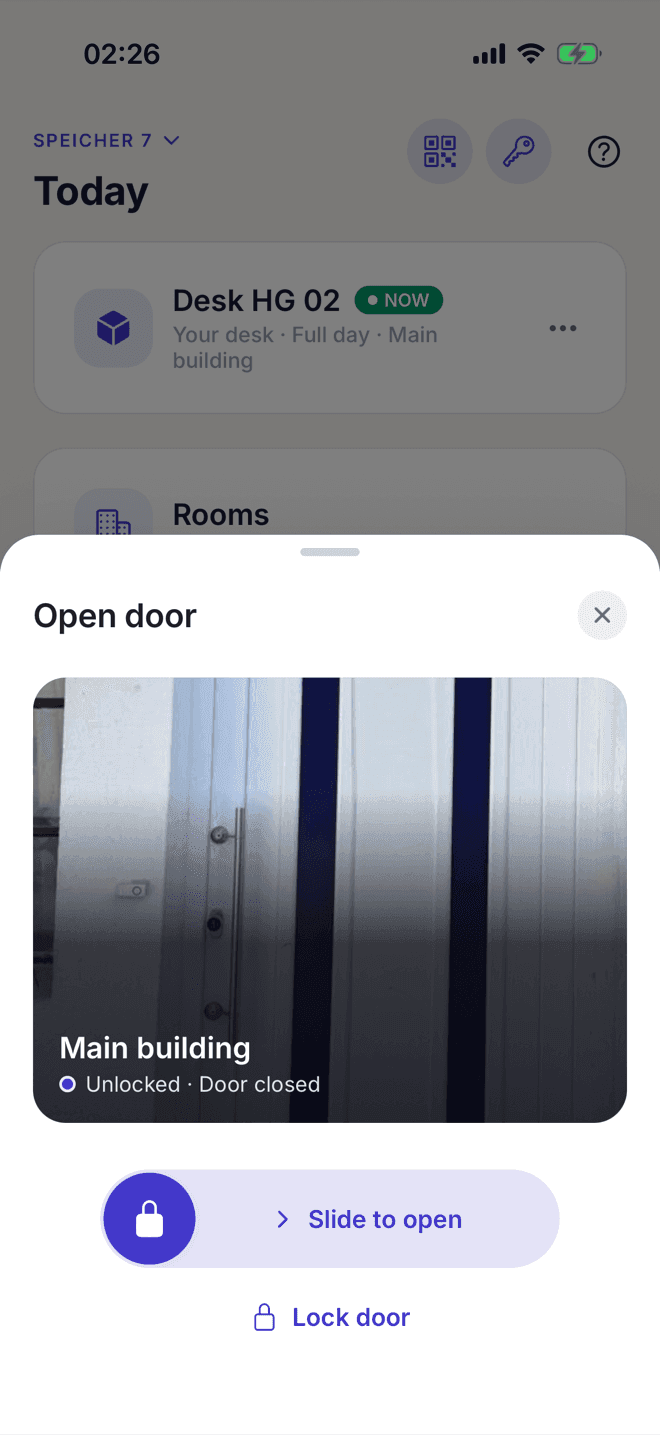
Confirm a contract, see who is in today, bill the month: it all works in the same app your coworkers use, even when you are not at the space. Most coworking software only lets you do this at a computer.
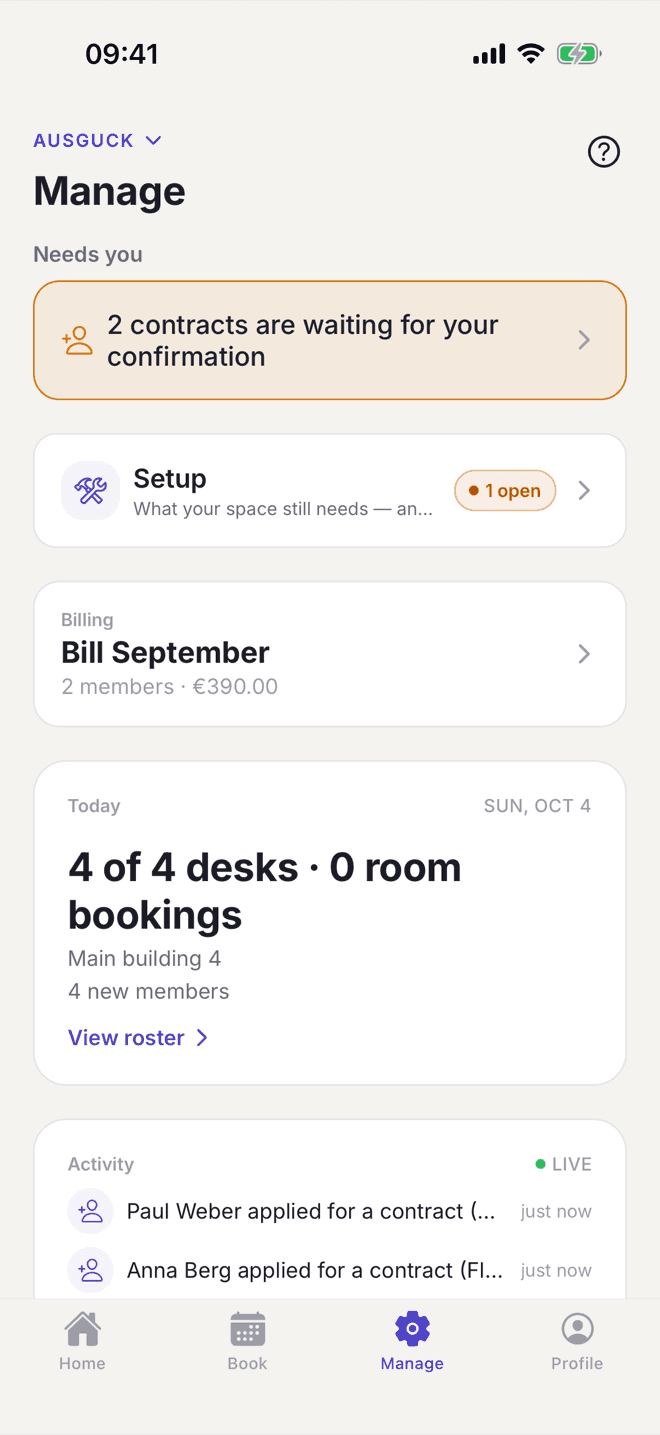
What's on today
Who is in, what is waiting for you and what is due for billing.
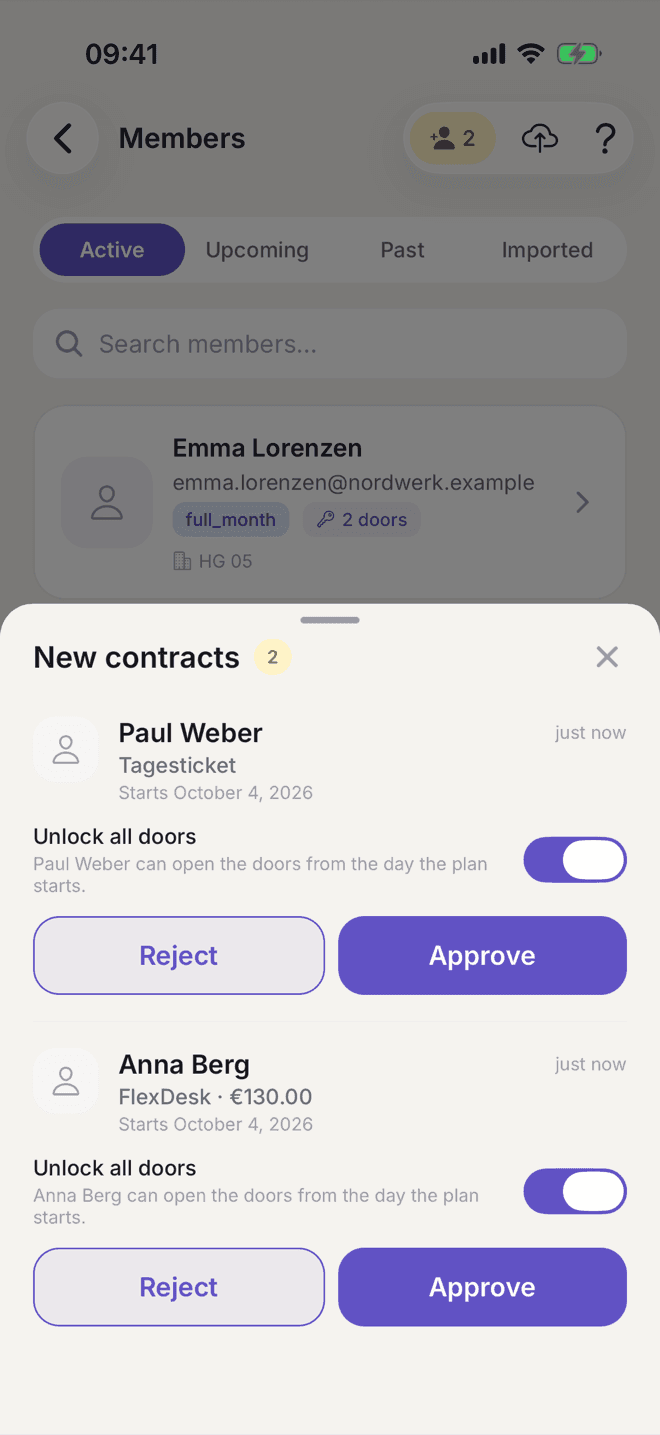
Confirm contracts
One tap, and the door access comes with it.
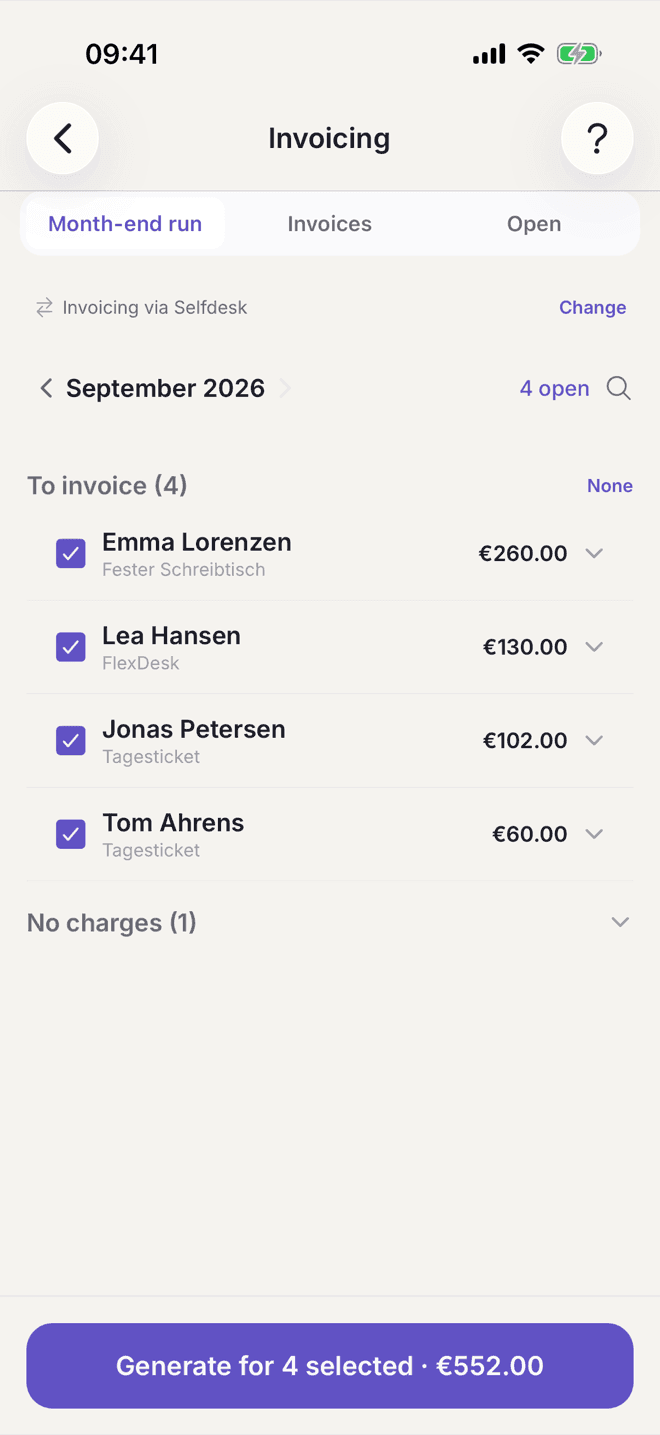
Bill the month
All of the month's invoices with one button.
Only creating the space and embedding booking on your own website happen in the browser. Everything else works in the app and in the browser.
Built from our own experience
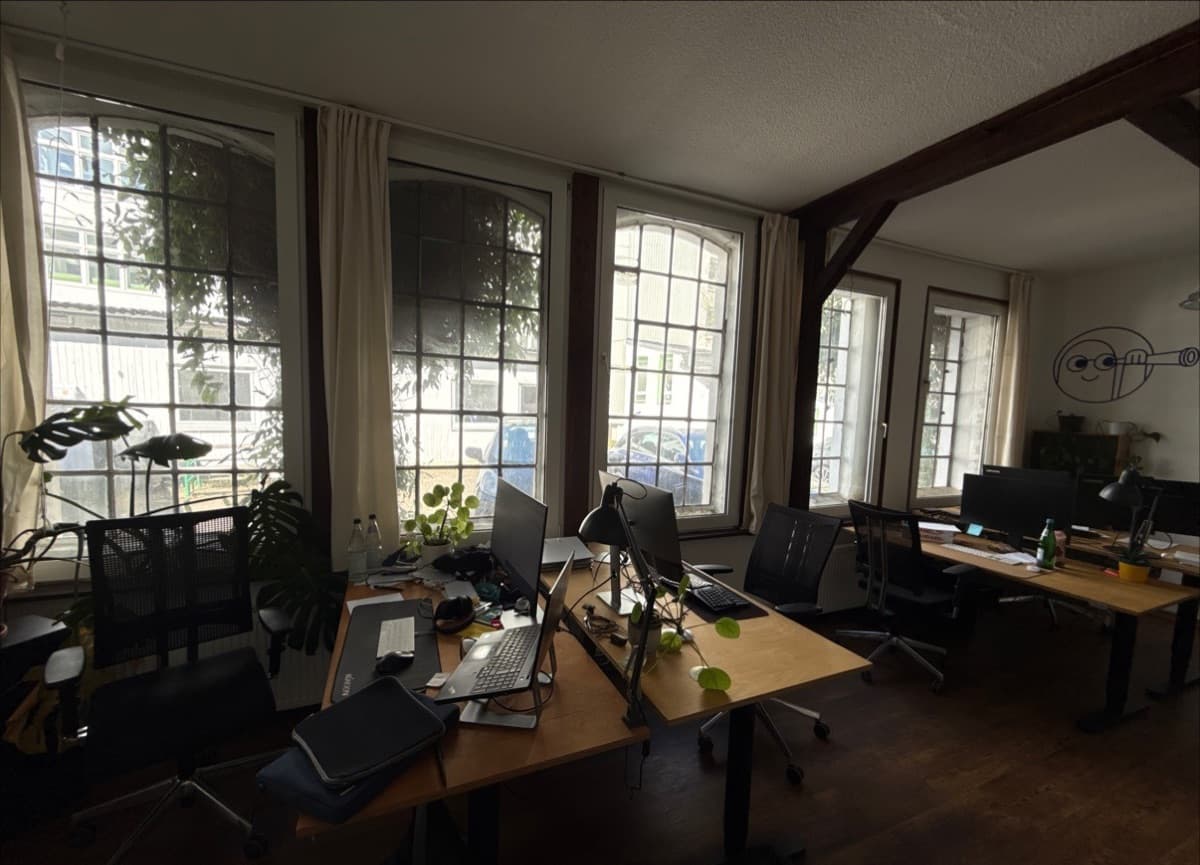
Selfdesk grew out of running our own coworking space.
We run a coworking space in Kiel ourselves and had the same questions on our phones. That is why we built Selfdesk, our own coworking software – and we use it there ourselves.
More about usAlso in Hemau
Grunwaldvilla in Hemau runs on Selfdesk: twelve desks, two rooms.

We are members of CoWorkLand eG. CoWorkLand and Selfdesk are working towards a partnership, with the aim of building a software tailored to the cooperative's spaces.
All connected
Selfdesk doesn't stop at the booking.
Selfdesk connects what else your space needs – at no extra charge.
Nuki Smart Lock
Door access straight from Selfdesk.
Stripe
Payments and direct debits.
Lexware Office
Invoices passed straight on.
Hosting in Germany
On servers in Nuremberg.
Price
One price that grows with your space.
Example: 10 paying members =€60 a month net (€71 incl. VAT)
Day guests only add to it when they actually book.
- No surcharge per feature
- No share of your income
- Cancel any time
The first 45 days free – so you see at least one month-end close with your invoices.
Before you start
What you need to start – and what you don't.
Do I need a Nuki lock?
No. Contracts, bookings and billing work without a door lock. If you have a Nuki lock, you connect it through your Nuki Web account.
Do I need a Stripe account?
Only if members are to pay by card or direct debit, and for the kiosk, day tickets and guest bookings. Opening one costs nothing; Stripe takes its fees per payment. Without Stripe, members pay by bank transfer.
Can I switch to Selfdesk from Cobot or Excel?
Yes. You upload your member list as an Excel or CSV file, with plan, contract start and, if you like, a fixed desk. The import sends nothing yet. Then you invite people whenever you want: by email from Selfdesk or as a link you pass on yourself. Whoever accepts finds their contract ready.
Do I have to write terms or contracts myself?
No. Terms, cancellation policy and price list are created from your details. All you need are the details for your legal notice: legal name, address and email address.
Want to try Selfdesk?
Set up your own space or look around the demo space first.
45 days freeCancel any timeCard or bank account required
No email addressno card
- Servers in Germany
- Invoices and bookings exportable any time
A question before you start? Write to us: hilfe@selfdesk.app