Set an individual price
You only enter the amount. Selfdesk derives the variant from the plan the member currently holds.
App
A negotiated price is not a discount field on the contract. It is a separate, non-public variant of the plan the member holds. You create it in the member's record, and only through the amount. Nobody types a plan name.
The member needs a running contract. Without an assigned plan there is no product to negotiate down from, and the entry point does not appear at all. This task is only available in the app so far.
- Open Manage in the app, then Members, and then the member.
- Tap Adjust price in the Membership section, below Plan. The Individual price screen shows the plan and its price at the top under Currently.
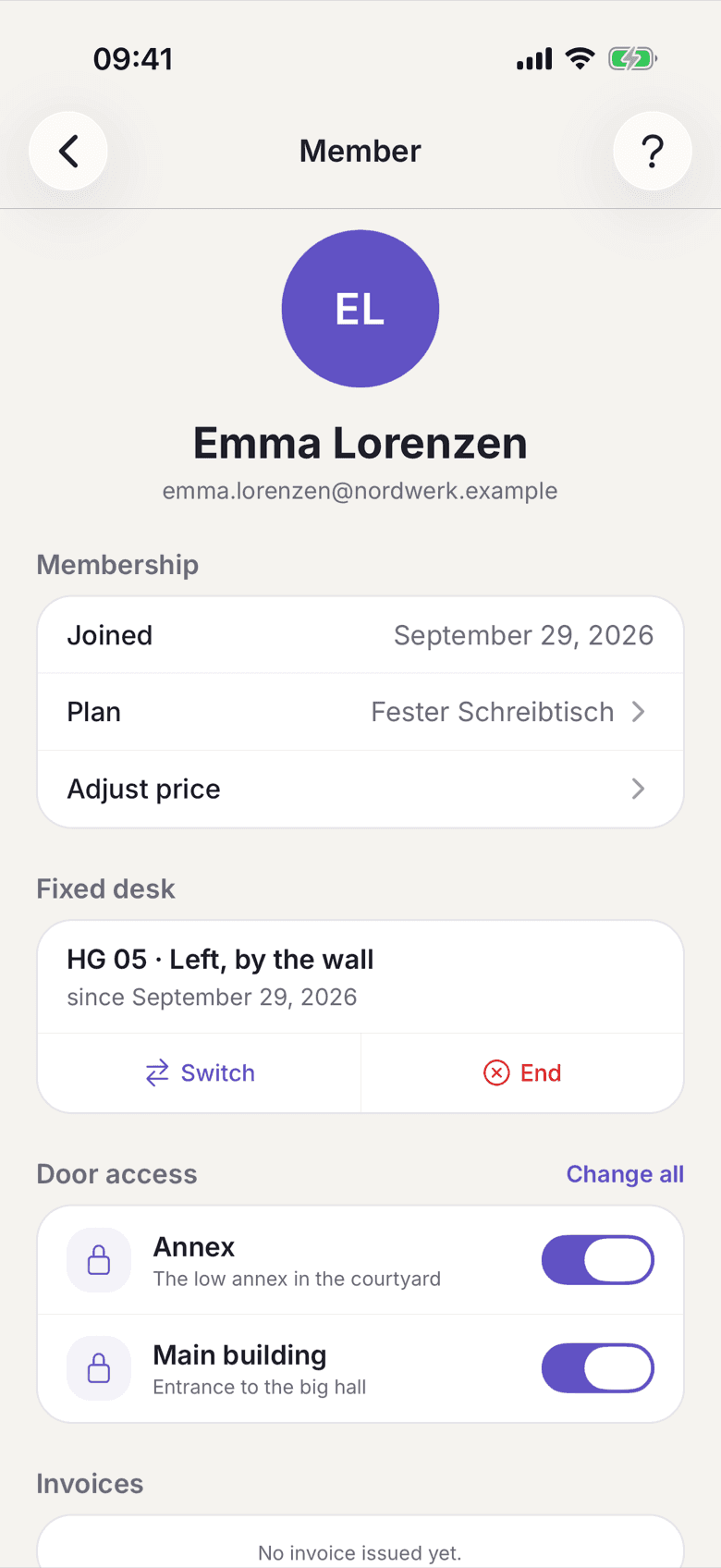
Member record with the Adjust price entry point - Enter the agreed amount under New price (gross). Below it you see how it splits into net and VAT.
- Under Applies choose between Open-ended and Time-limited. For Time-limited you set when the individual price ends.
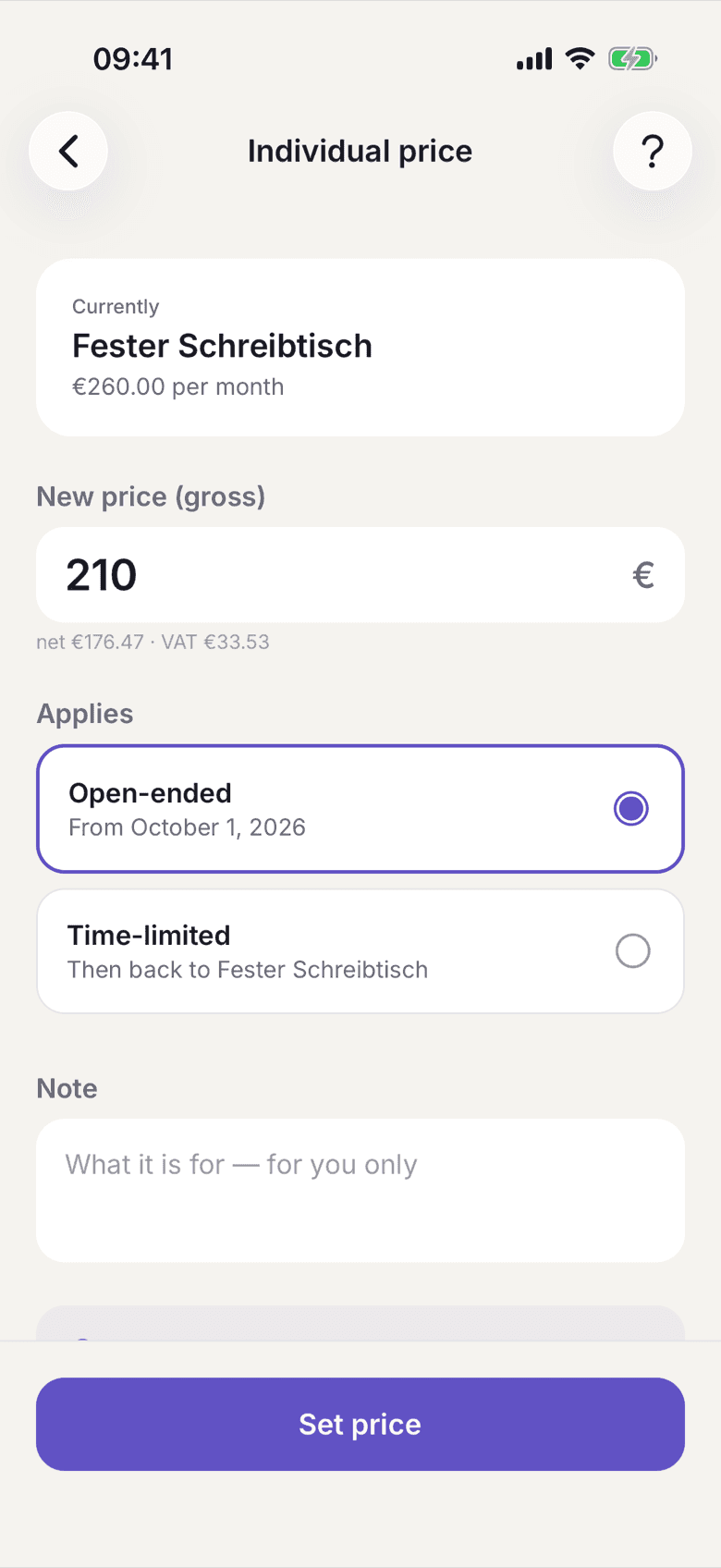
Individual price with amount, period and note - The Note is for you only. It appears neither for the member nor on any document.
- Tap Set price.
What applies here
- The display name stays the same. In the app, on the contract and on the invoice the member keeps reading the name of their plan; only the amount changes.
- Only the price field the held plan actually bills on is replaced. A discount on the desk does not silently reprice the room.
- The individual price is not in the price list and nobody can pick it. Only your space can hand it out.
- The member can move to a different plan on their own. Getting back to the individual price then only works through you.
- An individual price hangs off the plan. A plan change does not carry it along.
- A time-limited individual price ends on a month boundary, and the successor contract is already in place. See Fixed-term prices expire.
- Your plan list therefore gains an extra, non-public entry with a technical internal name. That is the variant belonging to this member.
When it does not work